
CoCo, a cryo-EM workflow copilot, has been updated to v0.2.0. This release introduces two project-level features: a new data workflow on the project task page, graphically illustrating upstream dependencies and downstream pipelines for each task; and support for multi-user project sharing with access control, along with a dedicated administrator management interface. Researchers can now track task dependencies more clearly, while administrators can centrally manage users and project permissions. Additionally, log management, runtime monitoring, and the CryoPROS user experience have all been optimized. CoCo is maintained by Mingxu Hu's team at the Shenzhen Medical Academy of Research and Translation, providing an integrated web-based workbench for cryo-EM data processing.
CoCo official website: cocoproject.org.cn
This release integrates task dependencies and user permissions into the project workflow. Key updates include:
The project task page now defaults to a data workflow, presenting all tasks and their dependencies. Within a project, users can gain an overview of task dependencies in a single page, eliminating the need to toggle between pages to reconstruct the workflow.
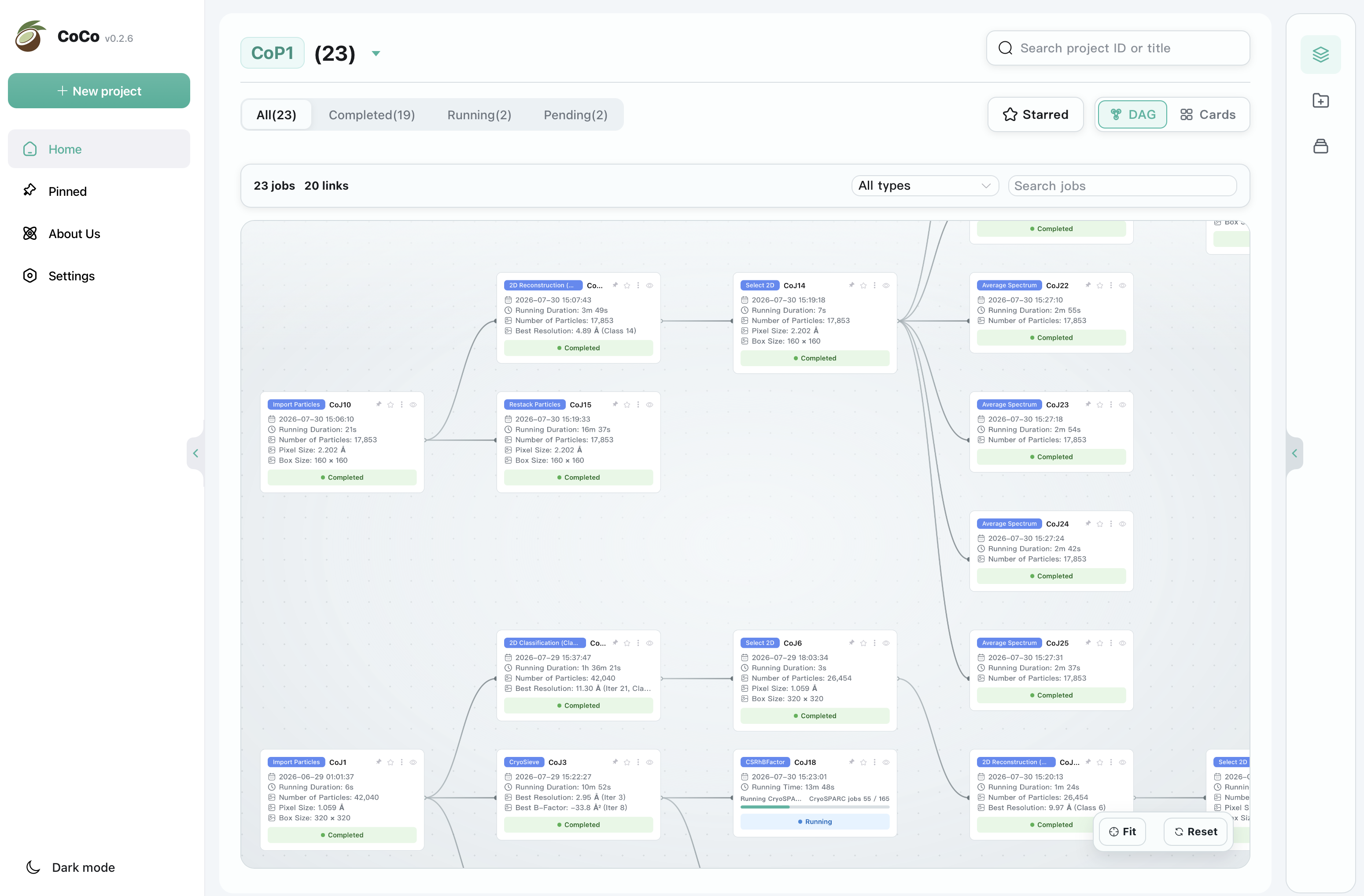
DAG View as Default
Projects can be shared across users with configurable access permissions. Within a project, administrators can review permissions and manage sharing settings, with a dedicated user management page for centralized account administration. CoCo thus enables multi-user deployments with clearly defined membership boundaries and flexible access controls.
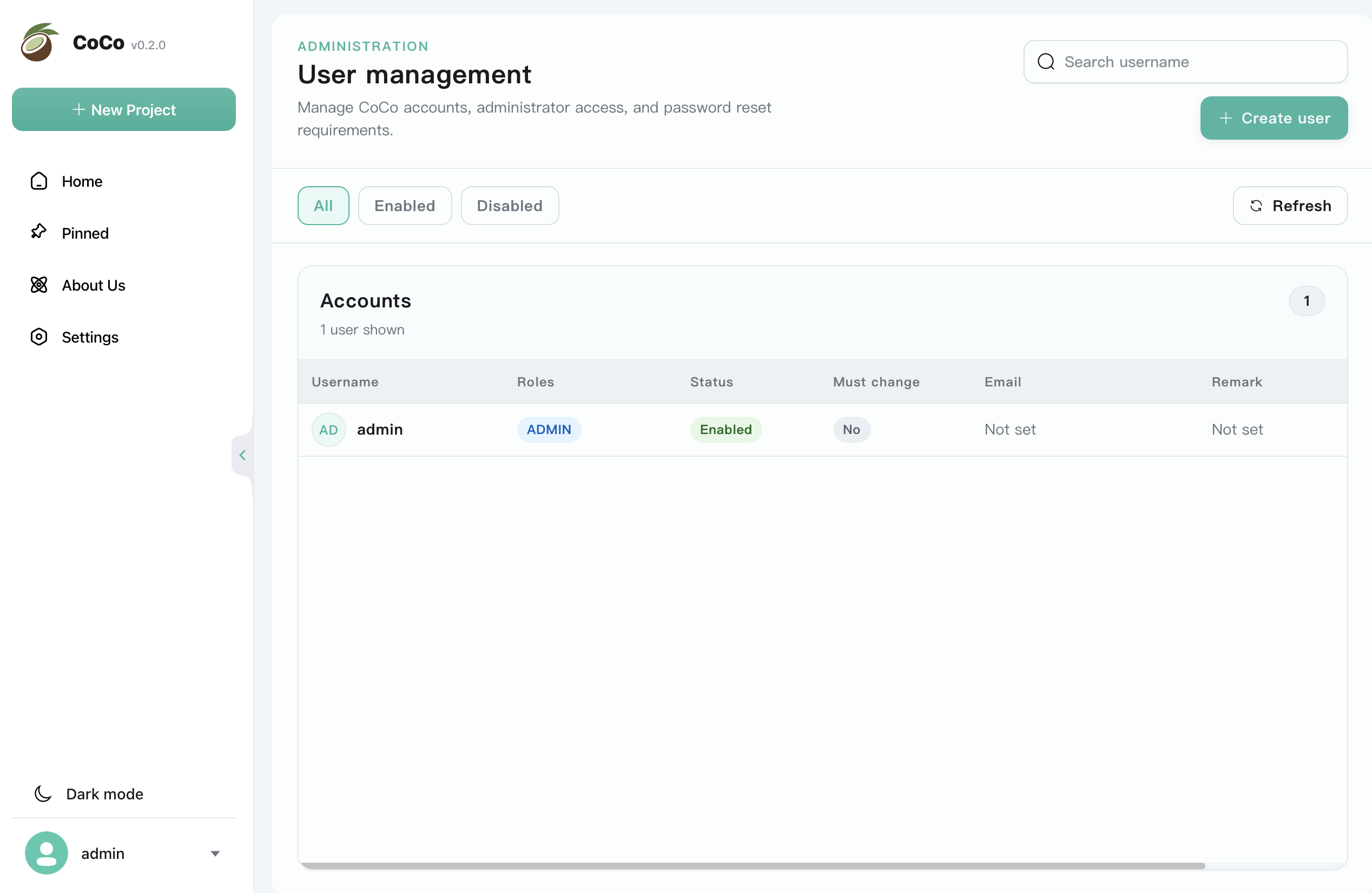
Multi-User Management Page
Log Management and Runtime Monitoring: Introduced a standardized Job Log system that consolidates stdout, stderr, and event logs into a single interface; optimized the display of status, progress, and runtime operations across the home page, sidebar, and task detail pages.
CryoSPARC Integration: Introduced connection validation and email configuration to streamline deployment validation and enhance integration robustness.
CryoPROS Output: The CryoPROS Generate task now parses and visualizes particle metrics, enabling more comprehensive result reporting.
Cryo-EM data processing requires frequent switching between RELION, cryoSPARC, and standalone algorithm tools. These tools differ in data formats, workflows, and runtime environments, leading to fragmentation of project context. CoCo provides a unified web-based interface to organize projects, connect workflows, and leverage built-in analysis modules.
CoCo is not intended to replace RELION or cryoSPARC, but to provide a unified interface for project management and task execution across existing workflows. Researchers can prepare projects, launch tasks, monitor status, and access results from a unified workbench, and return to their established cryo-EM pipelines whenever needed.
Use the CoCo web interface as the project entry point to centrally manage task context.
Run modules such as CryoSieve and CryoPROS as needed.
Connect to RELION and cryoSPARC paths and data to minimize unnecessary switching.
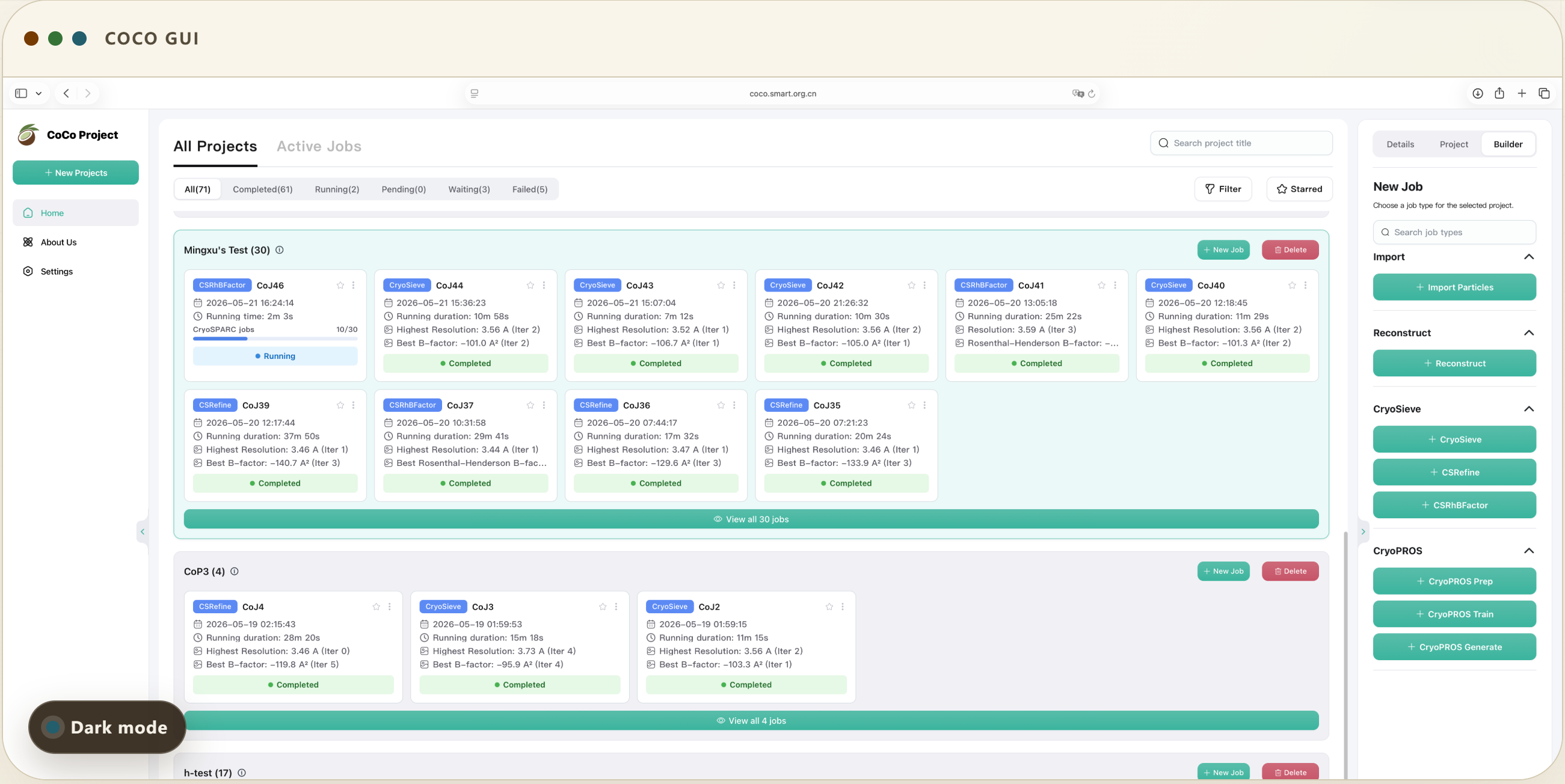
CoCo Workflow
CryoSieve performs quality-based particle screening on the final particle set in single-particle cryo-EM. By iteratively selecting subsets enriched in high-fidelity structural information, it achieves equivalent or higher resolution with fewer particles while improving reconstruction map quality.
Publication: “A minority of final stacks yields superior amplitude in single-particle cryo-EM,” Nature Communications (2023).
CryoSieve code: github.com/mxhulab/cryosieve
Preferred orientation causes missing projection views, which compromises particle pose estimation and 3D reconstruction. CryoPROS employs a conditional variational autoencoder to synthesize auxiliary particles consistent with the imaging conditions, and then uses this information to correct pose estimation bias, thereby reducing the need for tilted data collection.
Publication: “CryoPROS: Correcting misalignment caused by preferred orientation using AI-generated auxiliary particles,” Nature Communications (2025).
CryoPROS code: github.com/mxhulab/cryopros
CoCo is a web-based tool designed for structural biology researchers. It requires Java 8 or above to run the packaged backend. Install the managed CoCo runtime for integrated modules. Configure RELION or cryoSPARC when those job paths are needed. For a complete installation guide, please refer to the official website.
CoCo is a web-based tool freely available to structural biology researchers worldwide.
Official website: cocoproject.org.cn
Code: CryoSieve · CryoPROS (see each module's GitHub repository for details)
talent@smart.org.cn
researcher@smart.org.cn
recruitment@smart.org.cn
graduate_office@smart.org.cn
graduate_admission@smart.org.cn
otl@smart.org.cn
smartfund@smart.org.cn
pr@smart.org.cn
Subscription successful! Thank you for following SMART.